Learn to Code With AI, Hands-On
There is a big gap between reading about coding with AI and actually doing it well. Most writing on the subject is either breathless hype or a wall of tips you nod along to and forget. KB Cafe’s whole bet is the opposite: learn by doing. So the latest batch of content is not a pile of articles, it is a set of tools and exercises you can practice in, with the explanation wrapped around them. Here is what is new.
A Coding with AI track
The centerpiece is a practical method for writing real code with AI, distilled into a guide and a tool that work together. How to write code with AI covers the habits that separate people who get great code from people who get frustrated: set the right expectations, work around a model’s training cutoff, manage its context, plan before you dictate, and test everything. No hype, just the method.
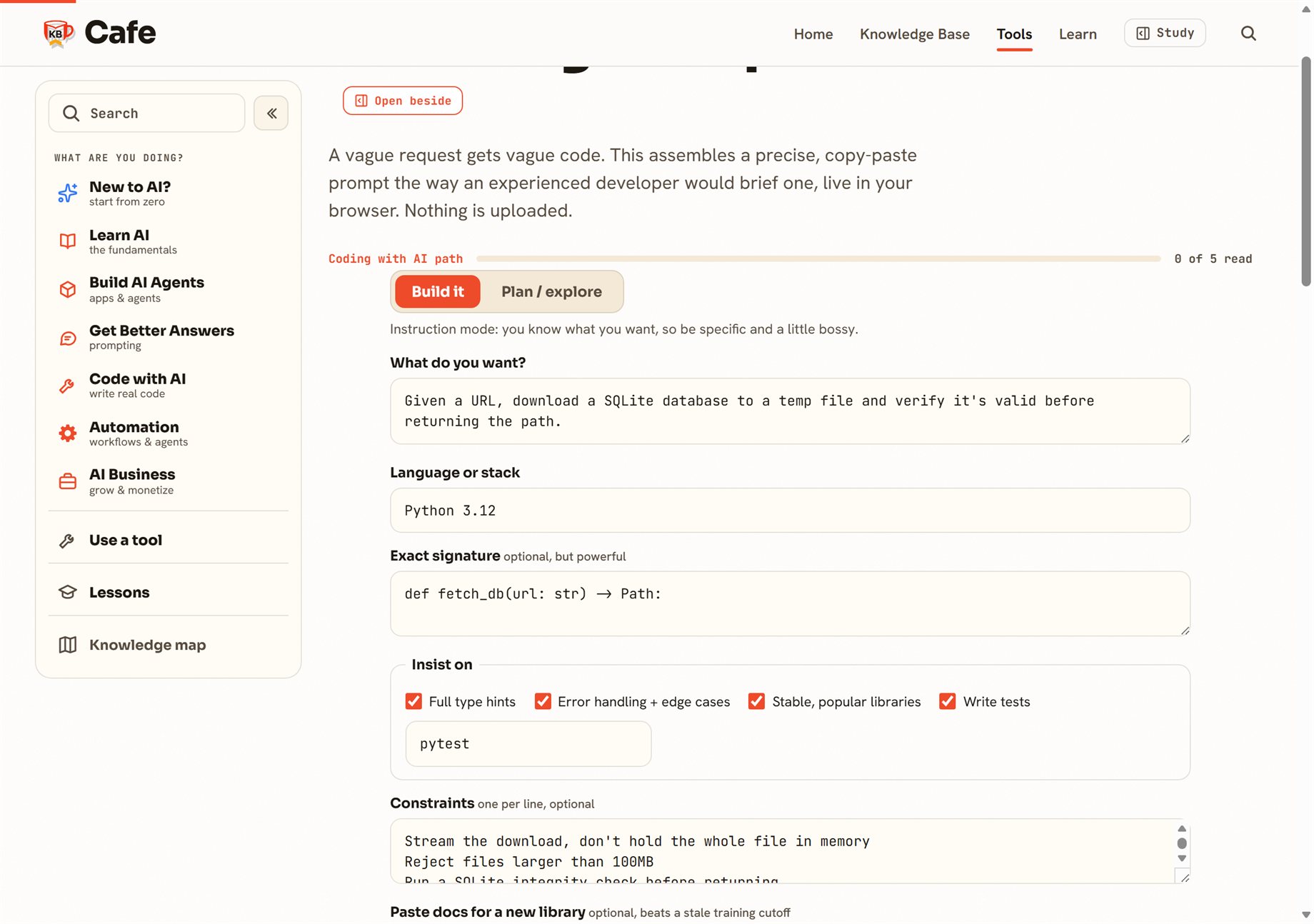
The part you will actually keep open is the AI Coding Prompt Builder. Pick plan or build mode, describe the task, and toggle the things that matter, an exact function signature, type hints, tests, error handling, a preference for stable libraries, and a slot to paste fresh docs for a library the model is too old to know. It assembles a precise, copy-paste prompt live in your browser. A vague request gets vague code; this is what a careful brief looks like.
Reading about hallucinations is one thing; catching one is another, so the guide includes a spot-the-hallucination exercise: a snippet of plausible-looking code with one invented function, and you have to find it. There are also four new dictionary terms the topic kept needing, training cutoff, system prompt, coding agent, and sandbox, and the whole thing is sequenced into a free, self-paced Coding with AI path.
MCP, end to end
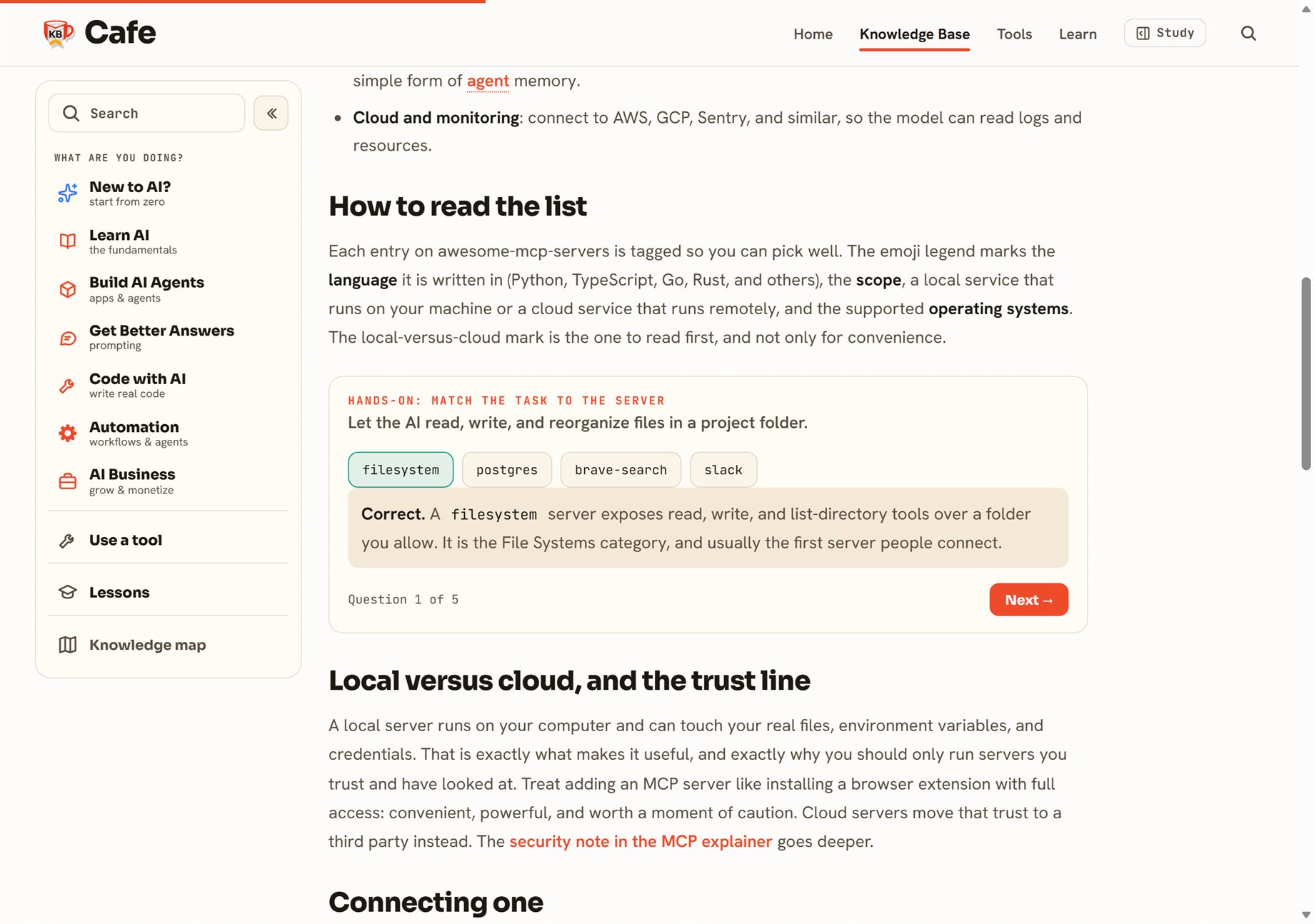
Once a model can write code, the next question is how to connect it to your actual tools and data. That is what the Model Context Protocol is for, and KB Cafe now covers it from the idea to the appliance. What is MCP explains the protocol; the new lesson, What are MCP servers, is about the servers you actually plug in, files, databases, GitHub, the live web, browsers, grounded in real examples from the community awesome-mcp-servers list.
It comes with a match-the-task-to-the-server exercise: given a job like “let the AI query your Postgres database,” you pick the right server and find out why. When you are ready to connect one for real, the MCP Config Generator builds the config block.
And a CSS starter
Not everything new is about AI. How to start CSS is a short, opinionated path from blank page to something you can style: what CSS is, the three ways to add it, selectors, the box model, and a habit for sane sizing. It has a live editor, type CSS on the left and watch a card update on the right, and when you want to go deeper it points you at the tutorials over at CSS Crème.
Where to start
If you build with AI, open the prompt builder and run a real task through it. If you are newer, walk the Coding with AI path from the top. Either way, the point is the same one KB Cafe keeps coming back to: you learn this stuff by using it, so we built things to use.